Querying your discourse graph
As your discourse graph grows, you’ll want to view and filter nodes by type - for example, seeing all your Claims or all your Questions in one place. Discourse Graphs integrates with Obsidian’s Bases feature to create filtered table views for any node type.
What is a Base view?
A Base view is a .base file that Obsidian renders as a filterable, sortable table. Discourse Graphs can generate these files pre-configured to show only nodes of a specific type, using the nodeTypeId frontmatter property as a filter.
Creating a Base view
There are three ways to create a Base view for a node type:
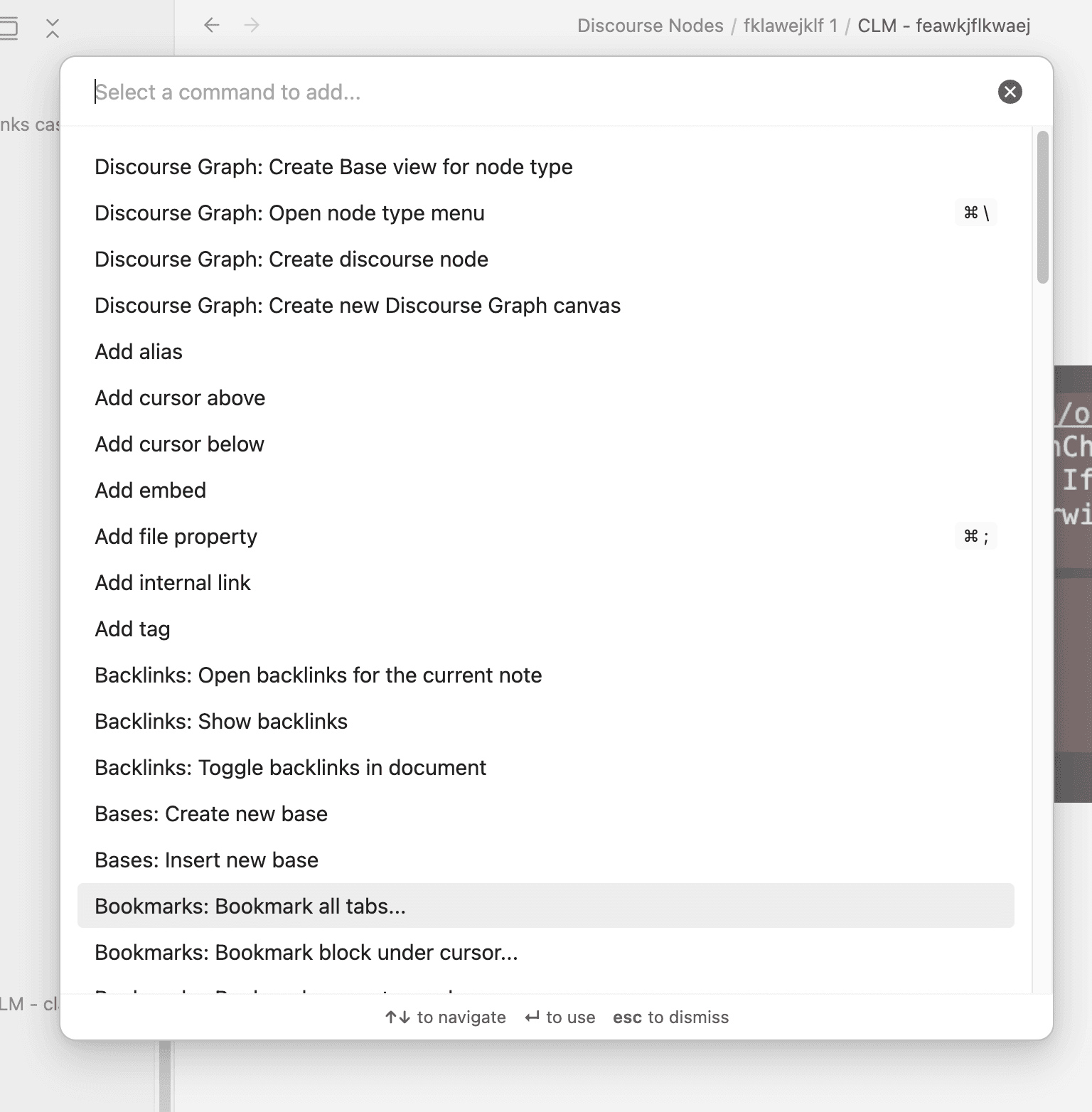
From the command palette
- Open the command palette (
Cmd/Ctrl + P) - Search for “Create Base view for node type”
- Select the node type you want to query
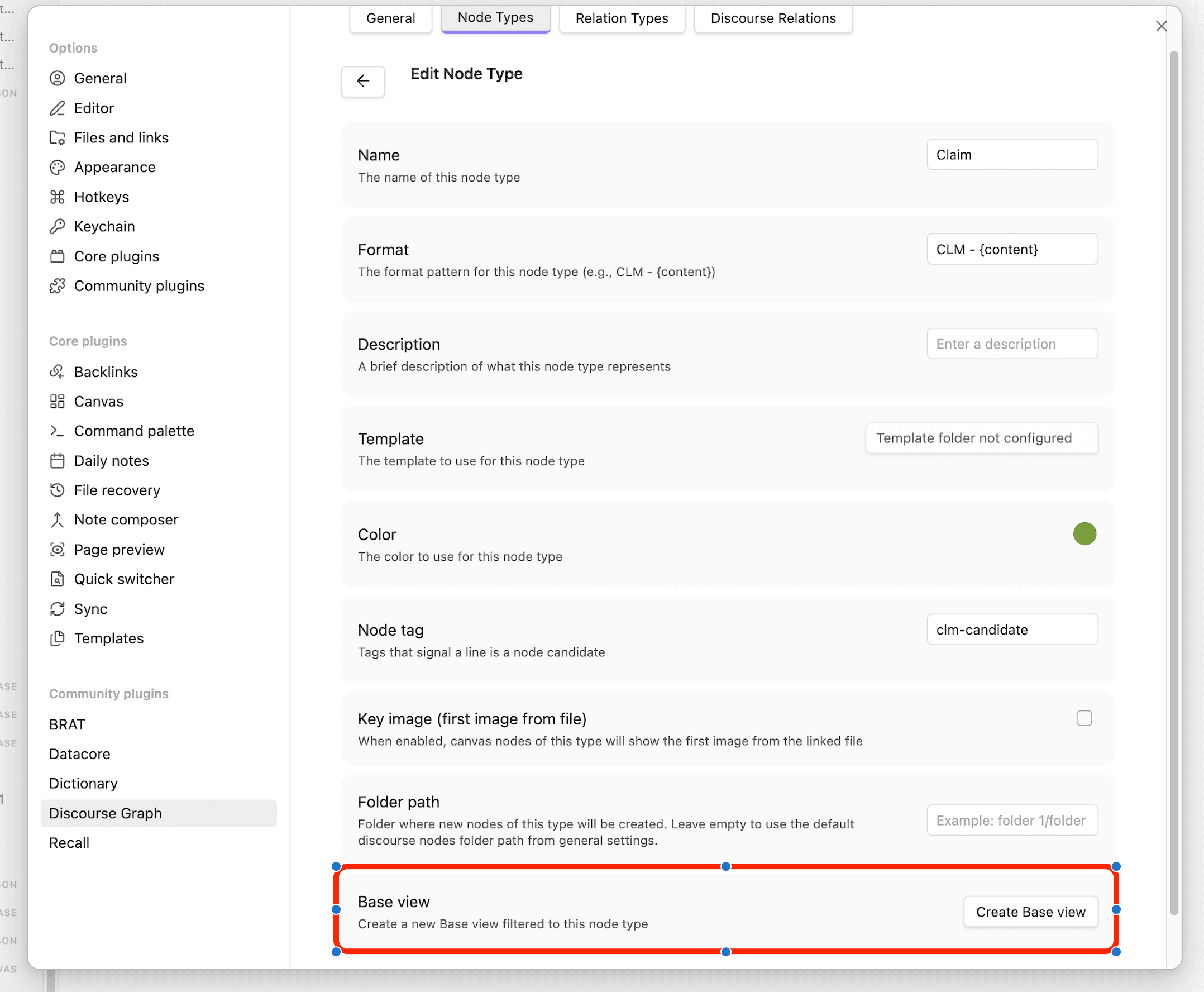
From node type settings
- Open Discourse Graphs settings
- Click on a node type to edit it
- Click the Create Base view button at the bottom of the edit form
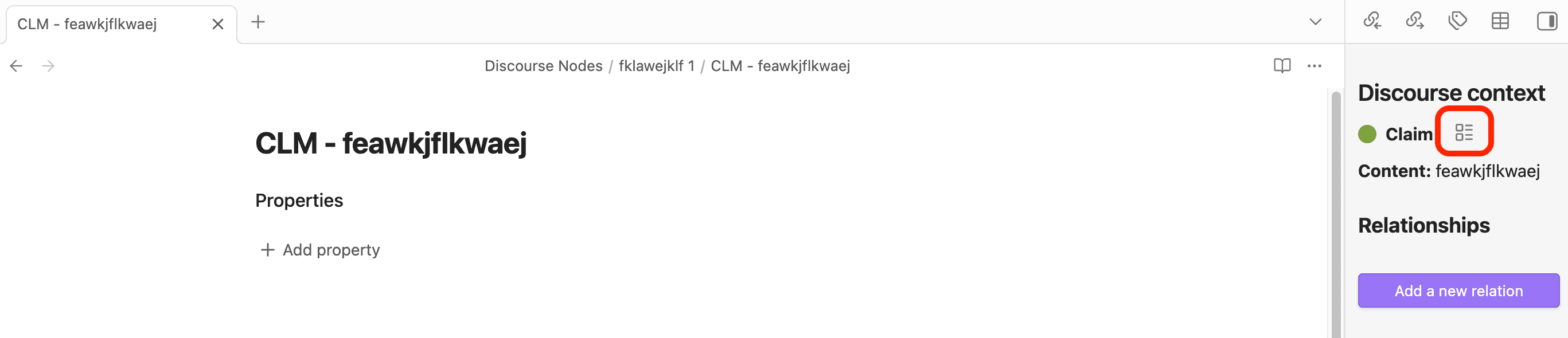
From the discourse context panel
When viewing a discourse node, you can create a Base view for its node type directly from the context panel:
- Open the Discourse context panel for any discourse node
- Click the table icon next to the node type name
How it works
Each time you create a Base view, a new .base file is created at the root of your vault with the name {Node Type} Nodes.base (e.g., Claim Nodes.base). If a file with that name already exists, a numbered suffix is added (e.g., Claim Nodes 1.base).
The generated file contains a table view filtered to show only nodes matching the selected node type. You can then further customize the view in Obsidian - add columns, change sorting, or add additional filters.
Note: A new Base file is always created rather than opening an existing one. This ensures you always get a fresh view with the correct filter, even if you’ve modified a previous Base view.